
How can foreigners open a bank account in Lithuania?



In Lithuania, a local bank account comes in handy almost from day one: your salary or scholarship goes into it, you pay your rent and utility bills from it, and, once you have a residence permit, you use it to log in to public e-services. Opening a Paysera account online is free.
How does a local account help when you move to Lithuania?
- Salary and scholarship: if you work for a Lithuanian company or receive a university scholarship, you will be asked for your IBAN.
- Everyday bills: you pay your rent, electricity, water, and heating by local euro transfer.
- Public e-services: with Lithuanian e-banking, you confirm your identity without an electronic signature or a card reader.

How do you open a Paysera account?
You can do it online, without visiting a branch. Register, submit your passport or ID card, and confirm your identity. If that does not work online or you would rather get help in person, you can also open an account at a Paysera branch in Lithuania. In that case, the fee is EUR 10.
Once the account is open, you get an IBAN, can hold money in several currencies, order a Visa card, and manage your finances in the Paysera super app.
Whether you can open a Paysera account depends on your citizenship: citizens of some countries cannot register. They are marked on the page “Which countries are Paysera payments available in?”.
How do you log in to public e-services?
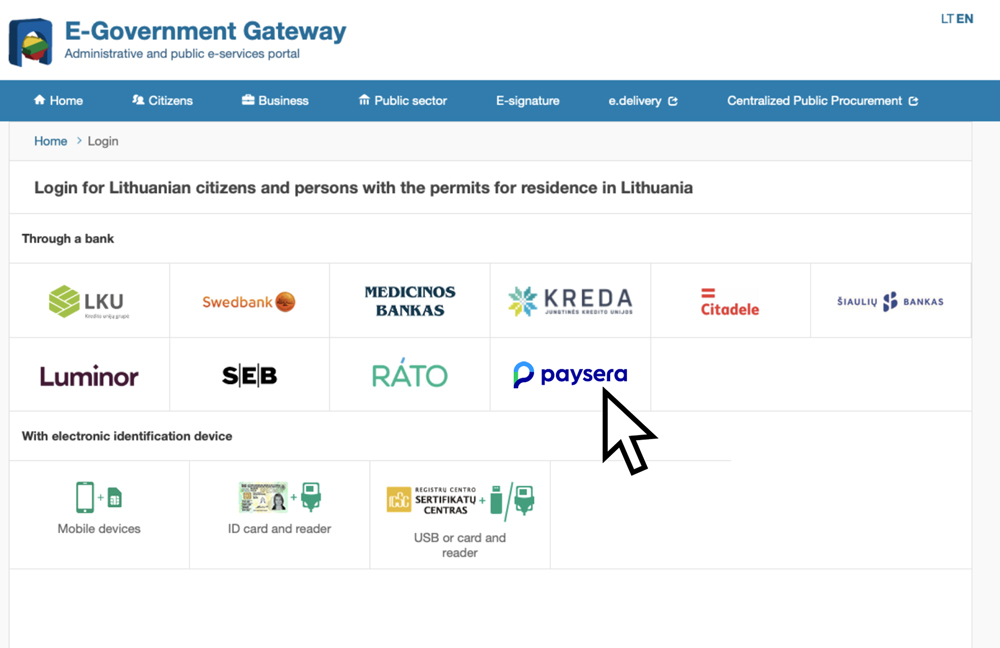
The E-Government Gateway (epaslaugos.lt) is the portal for state and municipal services. You confirm your identity through e-banking, and Paysera is one of the options on the portal’s login page. If you do not have a Lithuanian account yet, the portal has a separate tab for foreigners, where you can log in with an electronic ID from another EU country (eIDAS) or with an e-resident card.
To log in to public e-services with Paysera, add your Lithuanian residence permit in the Paysera super app: Settings › View my profile (the button with your name and surname) › Identity documents.
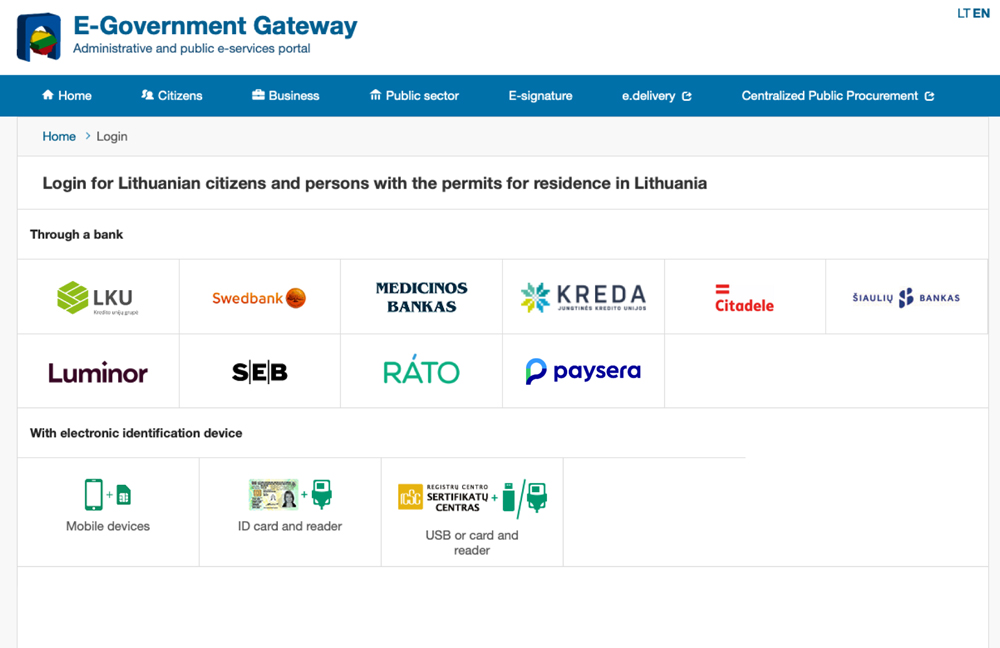
You can also use e-banking to log in to other public systems, where you can:
- Book a doctor’s appointment: appointments and test results are both at esveikata.lt.
- Declare your income: the annual declaration is filed in the STI Electronic Declaration System.
- Register self-employment: the application is submitted through My STI (the State Tax Inspectorate portal).
- Get a driving licence or register a car: these services are provided by Regitra.
What should you keep in mind?
- Language: you can use your Paysera account in many languages. Public services – epaslaugos.lt, esveikata.lt, Regitra, My STI, and the STI Electronic Declaration System – are also available in English.
What should you do next?
You can start right away: open your account online and add your residence permit when you need the e-services.